LipSurf - Chrome Extension
Voice control browser extension for hands-free web browsing and productivity.
4.0
Rating
108
Reviews
4.0K
Visits/mo
Screenshots
Overview
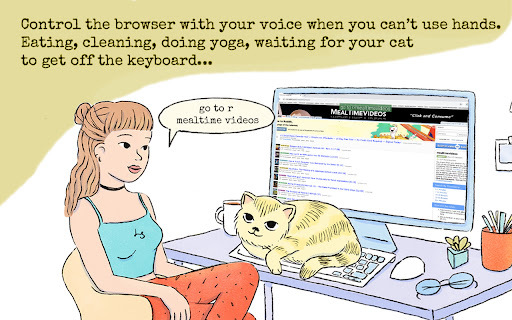
LipSurf is a browser extension that enables voice control for web browsing. It allows users to execute commands, interact with websites, and perform tasks using speech recognition, offering a hands-free experience. It's designed to be an assistive technology and enhances productivity by enabling multitasking and reducing reliance on manual input.
How to Use
Install the LipSurf browser extension, complete the tutorial for proper configuration, and use voice commands to navigate and interact with websites. Say 'help' to see available commands for the current page.
Core Features
Voice control for web browsing Speech-to-text (STT) and text-to-speech (TTS) Customizable shortcuts and commands Integration with popular websites like Gmail, YouTube, Duolingo, and Reddit
Use Cases
- 1 Hands-free browsing while eating or multitasking
- 2 Voice control for Gmail: selecting, marking, composing, and dictating emails
- 3 Voice control for YouTube: playing, pausing, and fast-forwarding videos
- 4 Voice control for Duolingo and WaniKani: answering questions hands-free
- 5 Voice control for Reddit: upvoting, visiting posts, and commenting
Frequently Asked Questions
How do I activate LipSurf?
Click the LipSurf icon in the toolbar, or say the wake word (e.g., "LipSurf, wake up") if enabled.
How do I find out what commands are available on a specific page?
Say "LipSurf, show commands" or open the commands panel from the extension icon.
Can I customize the commands?
Yes, you can create and edit custom voice commands in the LipSurf settings.
What languages does LipSurf support?
It primarily supports English, along with a few other languages.
Quick Info
- Category
- Voice Generation & Conversion
- Subcategory
- AI Speech-to-Text
- Added on
- Aug 06 2023
- Monthly Visits
- 4.0K
- Rating
- 4.0 / 5.0
- Reviews
- 108