Google Meet - Chrome Extension
Google Meet is a video conferencing service for business and enterprise use.
Screenshots
Overview
Google Meet is a video conferencing service developed by Google. It is one of the two apps that constitute the replacement for Google Hangouts, the other being Google Chat. Google Meet is designed for business and enterprise use, offering features such as screen sharing, real-time captions, and integration with other Google Workspace apps. It allows users to conduct virtual meetings, webinars, and online classes with ease. The platform supports a large number of participants and provides robust security measures to ensure privacy and data protection. With Google Meet, users can stay connected and collaborate effectively, regardless of their physical location.
How to Use
To use Google Meet, you need a Google account. You can start or join a meeting through the Google Meet website or app. Simply create a meeting link and share it with participants, or join an existing meeting using the provided link or meeting code. During the meeting, you can use features like screen sharing, chat, and real-time captions to enhance collaboration.
Core Features
Use Cases
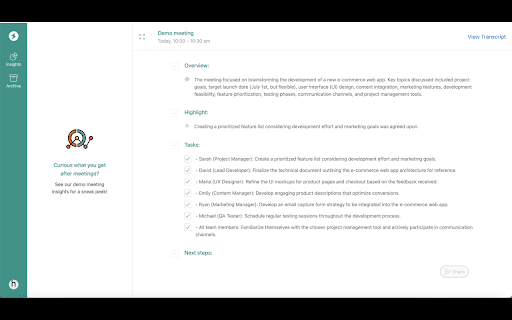
- 1 Capture insights and action items from Google Meet calls with real-time transcriptions and intelligent analysis.
Frequently Asked Questions
Do I need a Google account to use Google Meet?
Does Google Meet offer real-time transcriptions?
Can Google Meet analyze the content of my meetings?
Quick Info
- Category
- Voice Generation & Conversion
- Subcategory
- AI Speech-to-Text
- Added on
- May 20 2024
- Monthly Visits
- 2
- Rating
- 5.0 / 5.0
- Reviews
- 3